
Task managementwithout friction
Lovingly crafted to turn chaos into clarity.
An interface built for speed, features designed for your productivity.
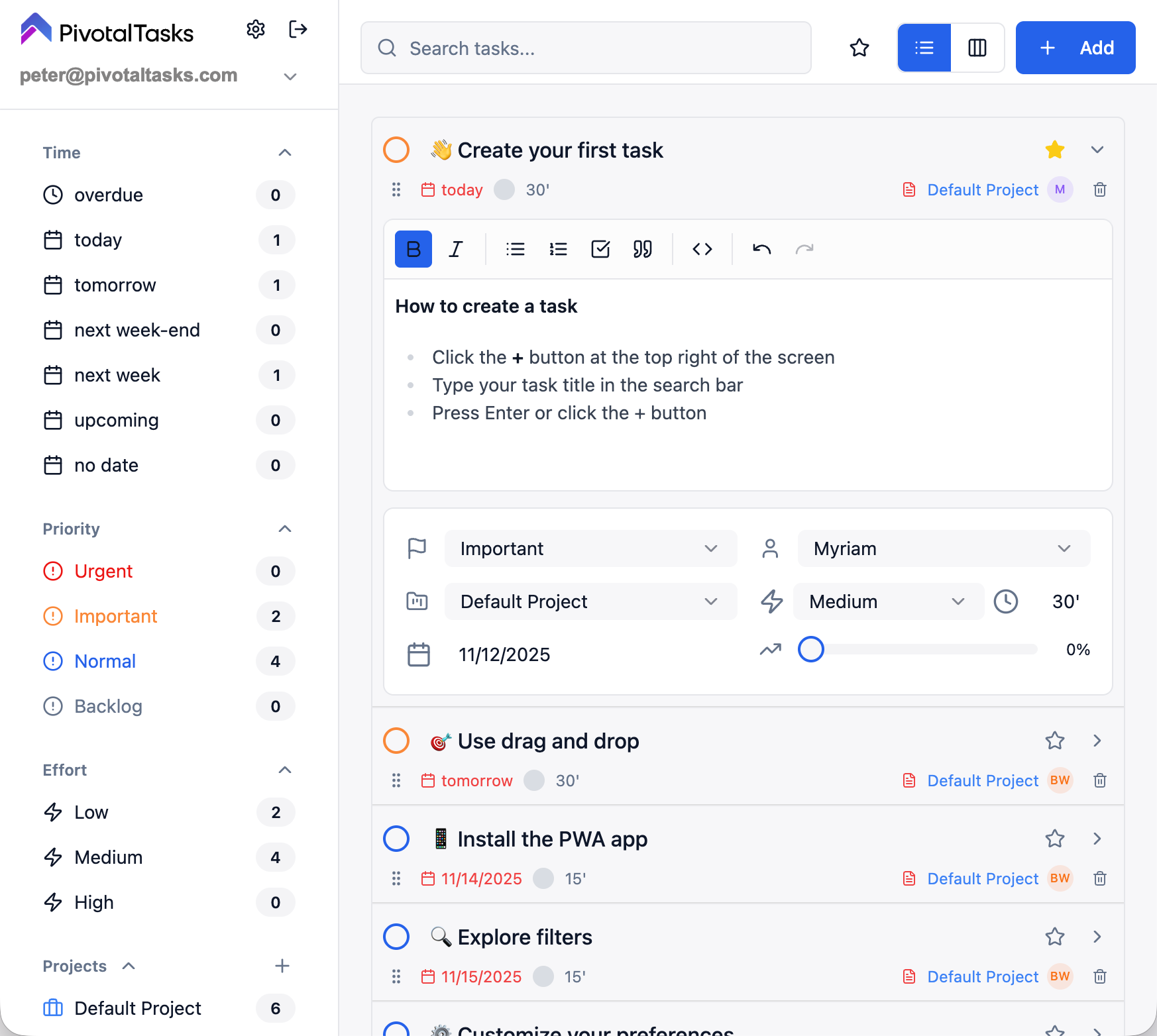
Favorite tasks
Mark your priorities with a single click. Instantly find your important tasks with the star filter.
Smart snooze
Postpone your tasks without losing them. Choose when they reappear: tomorrow, next week, or a custom date.
Permanent tasks
Background tasks that stay always visible. Perfect for long-term goals or daily routines.
Smart backlog
Store your ideas and future tasks in a dedicated space, separate from your active workflow.
Ultra-fast inline editing
Edit titles, descriptions, dates, and priorities directly in the view. Zero popups, zero friction, zero wasted time.
Multi-accounts
Manage multiple workspaces from a single interface. Switch instantly between personal and professional projects.
Collaboration
Share projects and tasks with your collaborators. Invite by email, manage members, and sync work in real-time.
Native MCP server
A built-in MCP server: your AI agents (Claude, ChatGPT, Dust, Cursor…) read and update your tasks directly.
Track every step
Customizable labels to visualize your task progress
Automatic progress
Progress is automatically calculated from checked items in the description. Checklists act as sub-tasks!
What our users say
"Pivotal Tasks has revolutionized the way I work. Smart snooze allows me to focus on what's essential."
Marie L.
Product Manager
"Inline editing is a game-changer. No more opening dozens of windows to manage my tasks."
Thomas R.
Freelance Developer
"Multi-accounts allow me to perfectly separate my work and personal life. Simple and effective!"
Sophie M.
Entrepreneur
"Collaboration is seamless. I invite my teammates in one click and we work together on the same projects effortlessly."
Lucas D.
Project Manager
Everything to manage your tasks
Priority system
4 levels: Urgent, Important, Normal, Low
Multiple views
Table and Kanban to visualize your tasks
Multi-projects
Organize your tasks by projects with color codes
Advanced filters
Find any task in seconds
Custom themes
Light mode, dark mode, and automatic adaptation
Multilingual
Interface available in French, English, and Spanish
Drag & Drop
Reorganize your tasks by drag and drop
Go further
Installable PWA
Use Pivotal Tasks as a native app on mobile and desktop
Encrypted data
Your data is encrypted in transit (HTTPS/TLS) and at rest
Email-to-task
Create tasks directly by sending an email
Offline mode
Work even without connection, automatic sync
Linear Sync
Synchronize your Linear issues with Pivotal Tasks in real-time
Markdown editing
Rich descriptions with formatting, lists, and links
Effort estimation
Plan with hour-based estimates
Ready to transform your productivity?
Join thousands of users who have already adopted Pivotal Tasks.
No credit card required • Unlimited test access